How to find your Zehnder ventilation unit serial number
The serial number of your Zehnder ventilation unit is required for:
- Support requests (e.g. MyZehnder Service Cloud)
- Product registration
- Concluding a maintenance contract
The serial number is visible on the green sticker on the cover of your ventilation unit.
If you do not have a green sticker, you can find the serial number on the type plate.
You can find a description of the individual ventilation units below.

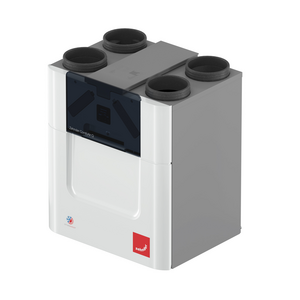
Zehnder ComfoAir Q
350 / 450 / 600
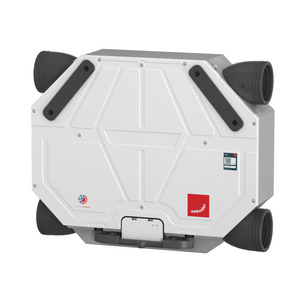
Zehnder ComfoAir Flex
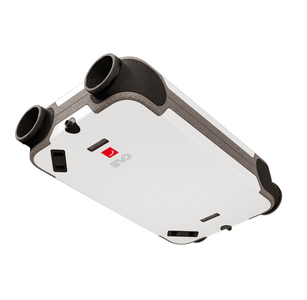
Zehnder EVO
1, 2, 3
Zehnder ComfoAir 350
Zehnder ComfoD 350
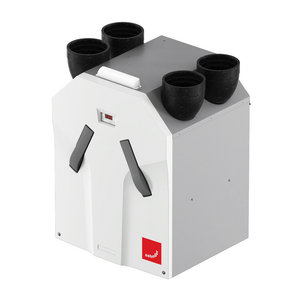
Zehnder WHR 950
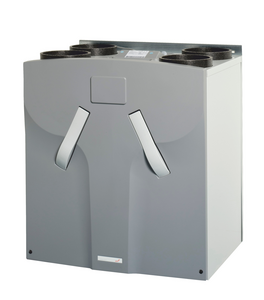
Zehnder ComfoD 250, Zehnder ComfoAir 200,
Zehnder Comfo Air 160, Zehnder Comfo Air 180
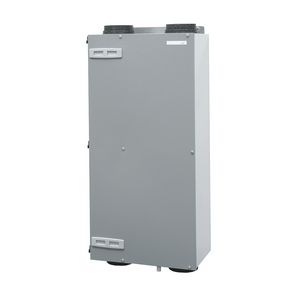
ComfoAir 155, ComfoAir Compact,
ComfoAir 185
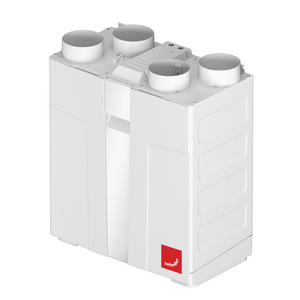
Zehnder ComfoAir 70
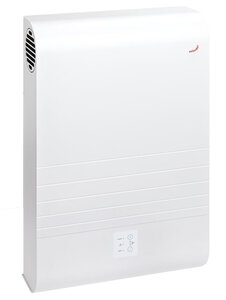
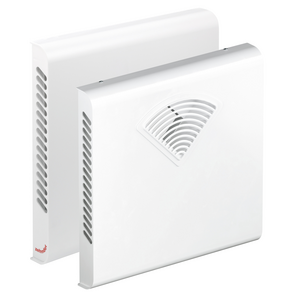
Zehnder ComfoSpot 50
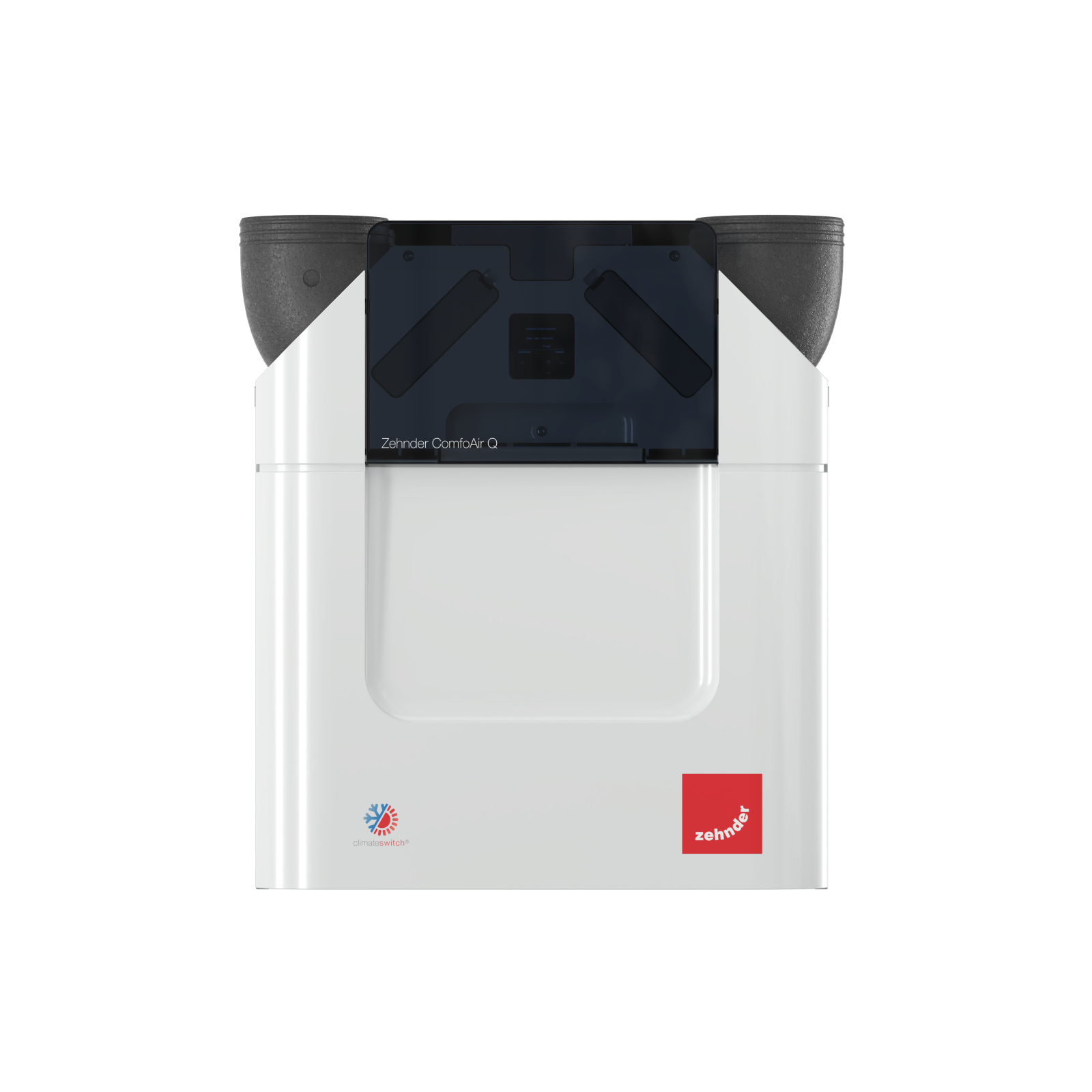
How to Find the Serial Number on a Zehnder ComfoAir Q 350 / 450 / 600
If your ComfoAir Q unit does not have a visible green serial number sticker, you can locate the serial number on the type plate behind a panel on the unit itself.
Steps to Locate the Type Plate and Serial Number
- Open the front black flap
Find the black flap on the front of the unit where the display area is located and fold it down. - Remove the grey top cover
Above this flap, there is a grey cover (sledge-like panel).
Pull this grey panel towards you to remove it and expose the area beneath. - Look under the mains power connection
The type plate is positioned under the mains power cable connection. Read the serial number
On the type plate, several data fields are shown, including:1. Catalog number
2. Serial number (often labeled “Serial-No.” or similar)
- Read the serial number directly from this plate.
Notes
Depending on the production year, two different type plate formats may be present, but the serial number is always shown on the plate.
The serial number is essential for service requests, registration, and maintenance contracts.


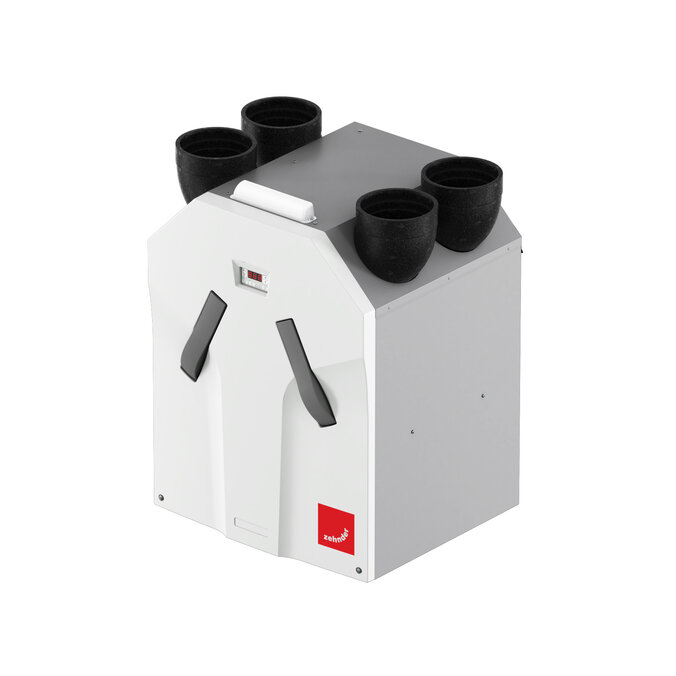
How to Find the Serial Number on a Zehnder ComfoAir Flex 250 / 350
If your ComfoAir Flex unit does not have a green serial number sticker, you can locate the serial number on the type plate attached to the unit.
The type plate is located on the grey section near the front plate, next to the double dry siphon
Steps to Locate the Serial Number
- Go to the unit and stand in front of it so you can see the front plate area.
- Look for the grey section adjacent to the front plate.
- Identify the double dry siphon and check the area next to it.
4. Locate the type plate label and read the Serial Number. Copy it exactly as shown.
Notes
- The serial number is usually clearly labeled on the type plate.
- This method is intended for cases where the green sticker is missing.
- The serial number obtained here should be used for service requests, maintenance contracts, and MyZehnder Service Cloud entry.


How to Find the Serial Number on a Zehnder ComfoAir 300 Standard / WHR-930
If your Zehnder ComfoAir 350 / Zehnder ComfoD 350 unit does not have a visible green serial number sticker, the serial number can be found on the type plate attached to the unit. The type plate on the ComfoAir 350 / Zehnder ComfoD 350 is located on top of the unit, on the front plate.
Step-by-Step Instructions
- Locate the front of the unit.
Find the area where the display and control panel are mounted. - Look at the top side of the unit, directly on the front plate.
- Find the type plate label.
Read the serial number on the type plate.
The type plate displays several identifiers, including:1. Catalogue number
2. Serial number (usually labeled as “Serial-No.” or similar)
Carefully read the serial number exactly as printed.
Notes
- The serial number may appear in one of several layouts depending on production year, but it will always be present on the type plate.
- This method applies when the green serial number sticker is missing.
- Use the serial number for service requests, maintenance contracts, and registration in the MyZehnder Service Cloud.


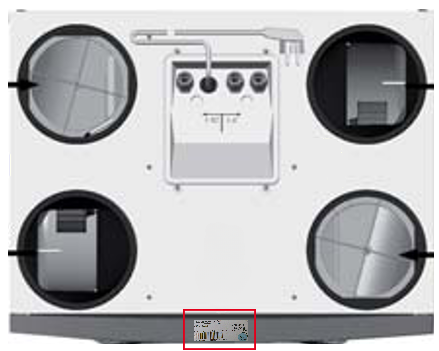
How to Find the Serial Number on a Zehnder WHR 950 / WHR 960
If your WHR 950 or WHR 960 unit does not have a green serial number sticker, you can find the serial number on the type plate attached to the unit.
Step-by-Step Instructions
- Locate the front of the unit.
Stand in front of the WHR 950 or WHR 960 ventilation unit. - Look on top of the front panel.
The type plate is mounted on the top of the front of the unit housing — it is visible without removing covers or panels. Read the information on the type plate.
On the type plate you will find several details, including:1. Catalogue number (product number)
2. Serial number (the number you need for service requests, registration, and maintenance)
- Record the serial number exactly as shown.
Ensure you copy the exact characters from the plate.
Notes
- The serial number on the type plate can be used when the green sticker is missing.
- Always use the serial number shown on this type plate for service requests, MyZehnder Service Cloud entry, or maintenance contracts.


How to Find the Serial Number on a Zehnder ComfoD 250, Zehnder ComfoAir 200, Zehnder Comfo Air 160, Zehnder Comfo Air 180
If your Zehnder ComfoD 250, Zehnder ComfoAir 200, Zehnder Comfo Air 160, Zehnder Comfo Air 180 unit does not have a green serial number sticker, you can locate the serial number on the type plate attached to the unit.
Step-by-Step Instructions
- Stand in front of the Zehnder ComfoD 250, Zehnder ComfoAir 200, Zehnder Comfo Air 160, Zehnder Comfo Air 180 unit.
You should be able to see at least one side of the housing where the display is located. - Locate the type plate on the side of the unit.
The type plate is mounted on the side of the unit at the height of the display. Read the information on the type plate.
The type plate shows key device data, including:1. Catalogue number (product model/part number)
2. Serial number (this is the number needed for service, warranty registration, MyZehnder Service Cloud, or maintenance contracts)
- Copy the serial number exactly as it appears on the plate.
Serial numbers are typically printed clearly and may be labeled as “Serial number” or a similar identifier.
Notes
- For the ComfoD 250, there are two possible type plate designs depending on the production year (older vs. newer), but the location remains the same.
- Always use the serial number from this plate when the green sticker is missing.
- This method ensures you correctly identify your unit for service requests, technical support, or maintenance agreements.

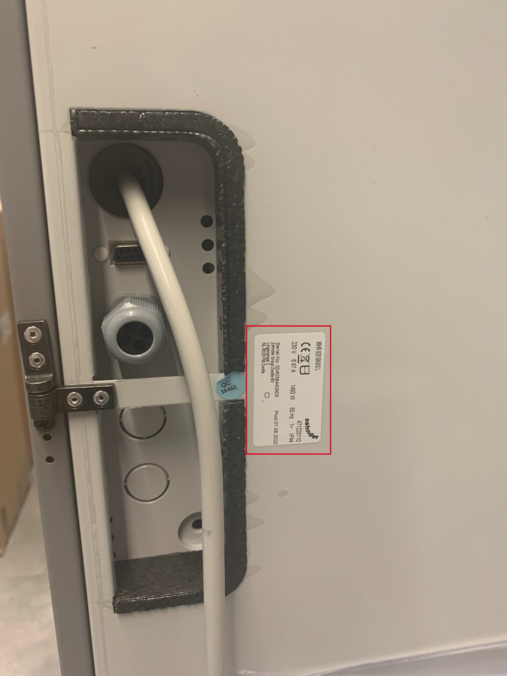

How to Find the Serial Number on a Zehnder ComfoAir Compact / Zehnder ComfoAir 155 / Zehnder ComfoAir 185
If your ComfoAir Compact (Zehnder ComfoAir 155 / Zehnder ComfoAir 185) ventilation unit does not have a green serial number sticker, you can still find the serial number on the unit’s type plate.
Step-by-Step Instructions
- Stand in front of the ComfoAir Compact (Zehnder ComfoAir 155 / Zehnder ComfoAir 185) unit.
Position yourself so you can clearly see the display area on the front of the unit. - Open the display flap.
The display area of the ComfoAir Compact has a small cover or flap that protects the display and underlying information. - Look under the display flap.
The type plate is located directly beneath the display flap. - Read the serial number on the type plate.
The type plate contains important unit data, including the serial number.
Ensure you copy the serial number exactly as shown, because this is required for service requests, registration, and maintenance contracts.
Notes
- The ComfoAir Compact type plate is not on the outside surface of the housing, but directly under the display flap.
- Always use this type plate serial number when the green sticker is missing.
- The serial number is typically clearly labeled on the plate.

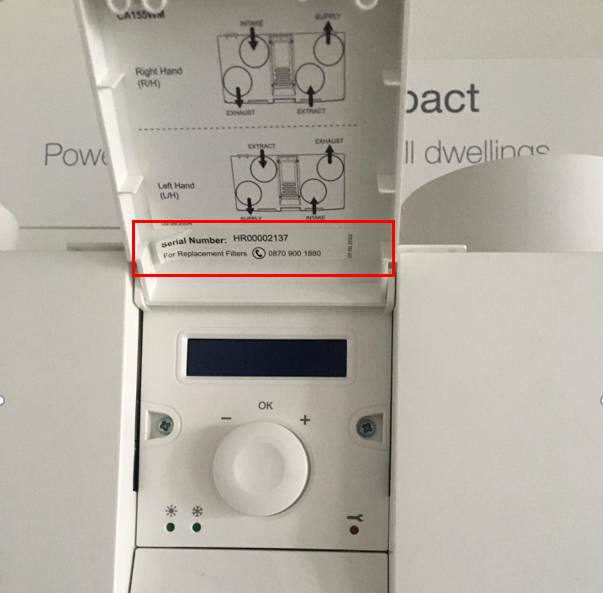

How to Find the Serial Number on a Zehnder ComfoAir 70
If your ComfoAir 70 ventilation unit does not have a green serial number sticker, you can still find the serial number on the unit’s type plate.
Step-by-Step Instructions
- Stand in front of the ComfoAir 70 unit.
Position yourself so you can clearly see the display area on the front of the unit. - Remove the interior wall panel by grasping it at the top edge and pulling upward.
- Read out the serial number from the label inside
- Read the serial number on the type plate.
The type plate contains important unit data, including the serial number.
Ensure you copy the serial number exactly as shown, because this is required for service requests, registration, and maintenance contracts.
Notes
- The ComfoAir 70 type plate is not on the outside surface of the housing, but directly under the wall panel.
- Always use this type plate serial number when the green sticker is missing.
- The serial number is typically clearly labeled on the plate.


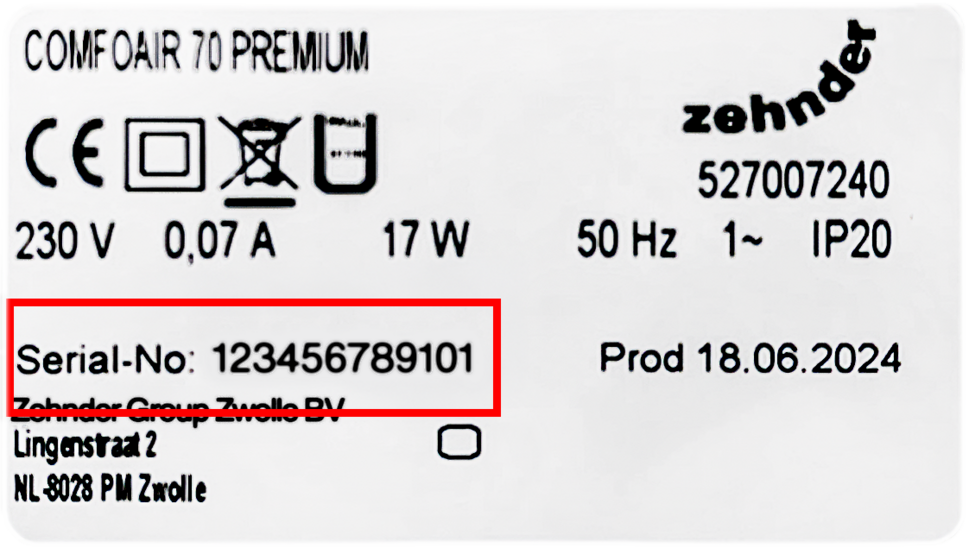
How to Find the Serial Number on a Zehnder ComfoSpot 50
If your ComfoSpot 50 ventilation unit does not have a green serial number sticker, you can still find the serial number on the unit’s type plate.
Step-by-Step Instructions
- Stand in front of the ComfoSpot 50 unit.
- Remove the interior wall panel by lifting it slightly at the top and bottom.
- Read out the serial number from the label inside.
- Read the serial number on the type plate.
The type plate contains important unit data, including the serial number.
Ensure you copy the serial number exactly as shown, because this is required for service requests, registration, and maintenance contracts.
Notes
- The ComfoSpot 50 type plate is not on the outside surface of the housing, but directly under the wall panel.
- Always use this type plate serial number when the green sticker is missing.
- The serial number is typically clearly labeled on the plate.


How to Find the Serial Number on a Zehnder EVO 1, 2, 3
If your Zehnder EVO 1, 2, 3 ventilation unit does not have a green serial number sticker, you can still find the serial number on the unit’s type plate.
Step-by-Step Instructions
- Stand in front of the Zehnder EVO unit.
- The type plate is situated on the front cover of the unit
- Read the serial number on the type plate.
The type plate contains important unit data, including the serial number.
Ensure you copy the serial number exactly as shown, because this is required for service requests, registration, and maintenance contracts.
Notes
- The Zehnder EVO type plate is on the outside surface of the housing.
- Always use this type plate serial number when the green sticker is missing.
- The serial number is typically clearly labeled on the plate.


General Request
Contact FormOffer Request
Contact FormOrder Request
Contact FormGeneral Request
+44 (0) 1276 605 800Technical Support
+44 (0) 1276 605 800